Table of Contents
- What is inspection management software?
- Limitations of Excel and paper records in inspection management
- What inspection management software automates
- From field recording to recommendation tracking
- Inspection records under API 510, API 570, and API 653
- What does this mean in practice?
- Venezuela: from RBI and API 579 to actionable plans
- How IntelliSuite connects inspection and maintenance
- What to evaluate before choosing inspection software
- From manual follow-up to connected management
- References
- Frequently asked questions about inspection management
Inspection management software addresses a problem that persists even when digital instruments are used: measurements are saved, photographs are stored separately, and the status of recommendations must be reconstructed from files and emails. Collecting data in the field does not ensure that the information reaches the reviewer and maintenance in a properly linked form.
The improvement lies in connecting data capture, evidence, review, and subsequent actions. Compatible wireless data transfer and artificial intelligence assistance can now be incorporated while retaining technical validation. This article explains what to require from the process and presents a documented application to assess its usefulness in operations.
What is inspection management software?
Inspection management software organizes activities, results, evidence, and subsequent actions associated with industrial equipment. Its purpose is to facilitate recording, retrieval, and tracking while maintaining clearly defined responsibilities and making documentation available for technical review and maintenance.
Limitations of Excel and paper records in inspection management
Excel is suitable for small-scale scopes. When several people are involved, versions can diverge and make work coordination more difficult.
Inspection findings lose context when a photograph does not identify the component, a reading has no location, or a report does not correspond to the campaign being reviewed. The information exists, but locating and correlating it requires additional time.
Inspection recommendations may remain pending without everyone knowing who is responsible for taking action. A colored date in a spreadsheet can serve as a reminder, but it does not prove that the responsible person received the information or carried out the intervention.
What inspection management software automates
Inspection management software should be assessed against specific activities. Digitizing a form does not mean that the entire process has been automated. Some tasks can be integrated; others require configuration, connectivity, or validation before the workflow can proceed.
| Activity | Manual management | Digital capability to verify |
| Field recording | Notes and transcription | Data capture linked to the equipment |
| Photographs | Separate folders | Attachments linked to the inspection |
| Open items | Reviewing the file | Viewing statuses and assignments |
| Communication | Separate emails | Notifications linked to the record |
| Reports | Manual consolidation | Report viewing and downloading |
Inspection traceability requires the equipment, result, date, and review to be linked. Define the mandatory data and who is responsible for checking its quality.
For more information on specialized analysis and review, see NDT data management, software, and AI. The focus here is on controlling activities, responsibilities, and subsequent actions.
From field recording to recommendation tracking
Inspection tracking begins by identifying the equipment, location, method, result, and evidence. This structure makes it possible to retrieve what was observed and its technical context.
Inspection findings must be distinguished from inspection recommendations. A finding documents an observed condition; a recommendation specifies a proposed action following the relevant review. Confusing the two records can transfer an observation directly to maintenance without sufficient evaluation.
A notification communicates that attention is required. Creating one does not prove that an approved work order exists, that a repair has been performed, or that closure has been technically validated. The procedure must specify what evidence is required to change each status.
To organize inspection recommendations, define clear statuses: pending review, agreed action, reported completion, and validated closure. These are suggested statuses for the procedure. Each transition requires an owner and the evidence established by the organization.
Inspection records under API 510, API 570, and API 653
The applicable technical framework depends on the asset. API 510 relates to in-service pressure vessels; API 570 to piping systems; and API 653 to aboveground storage tanks.
| Reference | Equipment | Useful records for organizing follow-up |
| API 510 | Pressure vessel | Identification, results, and associated actions |
| API 570 | Piping system | Circuit, location, readings, and history |
| API 653 | Storage tank | Component, inspection, condition, and repairs |
Using software does not guarantee regulatory compliance. The organization remains responsible for procedures, evaluation, and execution in accordance with the applicable code and scope.
What does this mean in practice?
Consider an illustrative piping scenario: the UT instrument stores thickness readings, and the inspector downloads the data to a computer. This process was already possible decades ago. The problem arises when the photograph, measurement point, and inspection recommendations remain in separate files.
The analyst receives the readings, searches for historical information, and requests clarification. The analyst then emails the assessment. Maintenance receives another list, and the coordinator asks what was completed. The measurement was digital, but inspection tracking still depends on reconstructing the sequence of events.
With inspection management software, the demonstration should show how to link the reading to the condition monitoring location (CML), the equipment, the photograph, and the inspection findings; how to access the history; and how to communicate a proposed action. Approval and closure require defined evidence and responsible parties.
A thickness reading alone does not confirm stress corrosion cracking. This mechanism requires assessment of the material, environment, and stresses, as well as appropriate testing. The example illustrates a process to be demonstrated; it does not represent measured results from an actual facility.
Venezuela: from RBI and API 579 to actionable plans
In Venezuelan oil projects that require existing assets to be assessed through risk-based inspection (RBI) and, where applicable, fitness-for-service evaluations, the challenge continues after the study. Its results must be converted into actionable inspection and maintenance plans, with assigned owners, due dates, and evidence of closure.

API RP 580 establishes the elements of an RBI program; API RP 581 provides a risk-assessment methodology. API 579-1/ASME FFS-1 supports the evaluation of damaged components to inform decisions about continued operation, repair, or replacement. Its application depends on the equipment, damage, and technical scope.
Inspection management software should support administration of the approved plan by linking the equipment to the report, inspection recommendations, and subsequent actions. Conditions and restrictions determined by engineering must remain available to those who operate, inspect, and maintain the assets.
Inspection traceability makes it possible to verify what was scheduled, who was expected to act, and what evidence documents the intervention. Inspection tracking should include due dates, authorized changes, and open items requiring attention, in accordance with the organization’s management system.
For investors, this visibility helps manage exposure to failures and unplanned shutdowns. The objective is to reduce risk and protect operational continuity; no software guarantees zero failures or risk-free returns. Effectiveness also depends on assessment, execution, and operation.
The broader framework is discussed in mechanical integrity, RBI, and risk management. This article addresses how to follow up on the resulting decisions without developing the calculations used in those studies.
How IntelliSuite connects inspection and maintenance
To address this problem, AsInt, Inc. offers IntelliSuite. Its documented functions make it possible to evaluate inspection management software that connects mobile work with the enterprise environment. A demonstration should show how approved assessments are linked to maintenance. Managing RBI or API 579 results does not demonstrate that the application performs the calculations; the modules included in the contract must be confirmed.
Measurements and evidence in the same workflow
The official product page describes mobile inspections, checklists, CML readings, and annotated photographs or documents. It supports offline work and synchronization to SAP BTP when connectivity is restored. This can preserve the context of a measurement while the condition is documented.
The IntelliSuite version history published by AsInt documents direct thickness capture from compatible wireless UT devices, geolocation, a history of findings and recommendations, and synchronization improvements. Availability of these functions should be verified against the version and configuration being offered.
AI as support for technical review
AsInt documents photograph analysis to suggest possible damage mechanisms and a code-query assistant. The product sheet also describes extracting information from the U-1 Manufacturer’s Data Report form for pressure vessels.
Its explanation of AI-assisted mobile inspection links visual suggestions to API 571. The inspector decides what to record. A photograph does not confirm a cracking mechanism, and a suggestion does not constitute an approved repair instruction.
From finding to maintenance
AsInt’s FAQs describe recommendations generated from findings and notifications generated from recommendations. This link connects inspection recommendations to their source. The mobile documentation also includes work-order requests; requesting an order is not the same as executing it.
The January 2026 update adds visibility of the external SAP notification ID. This reference helps correlate records across systems. The organization should demonstrate how inspection tracking continues and where closure is validated.
The interview about IntelliSuite published on Inspenet TV on December 19, 2025, provides audiovisual support for the product presentation. Its editorial description explains the connection between field personnel and enterprise systems, the recording of findings, and linked images.
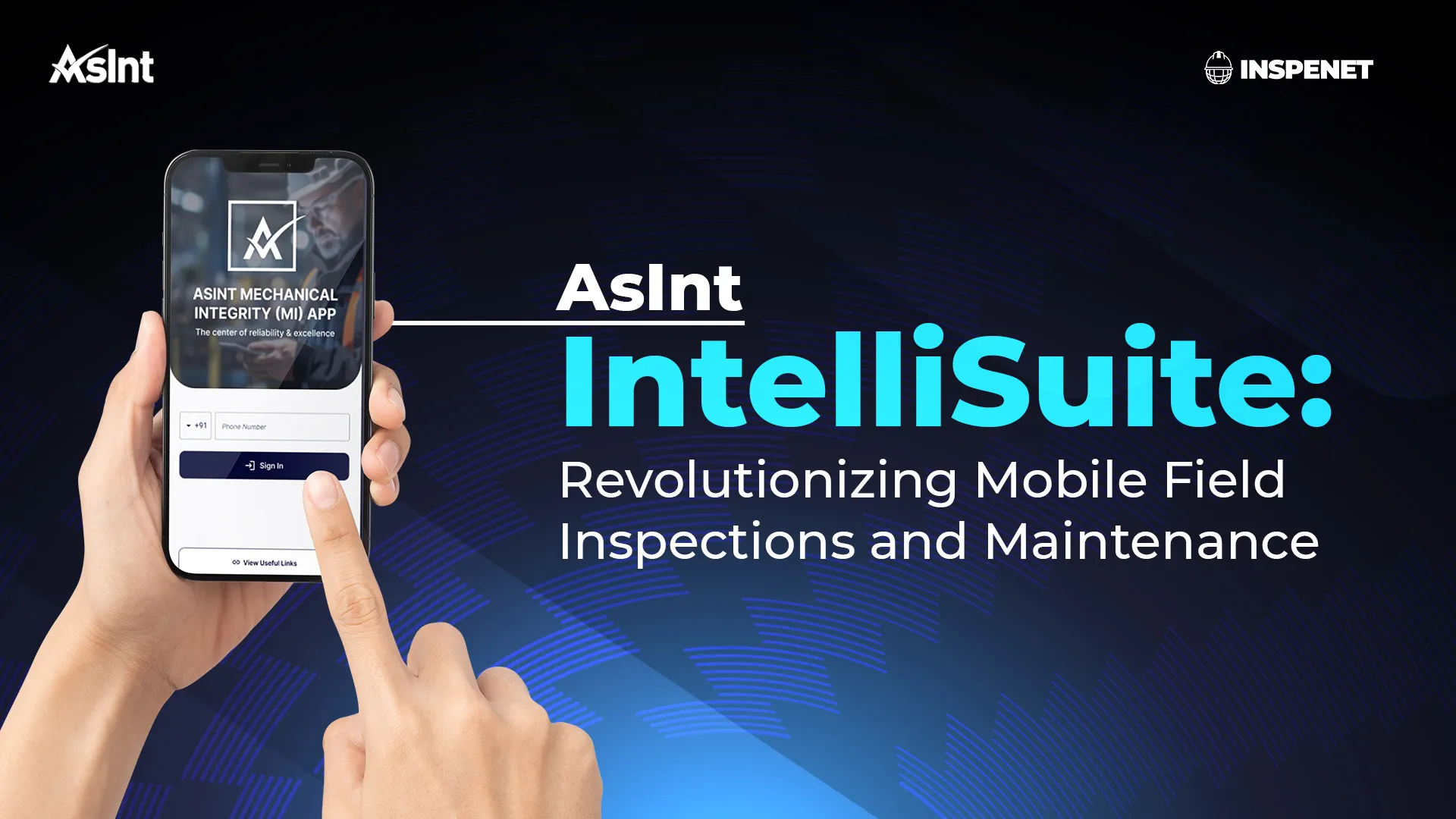
This publication provides an overview of AsInt’s offering; subsequent improvements are supported by 2026 documentation. Inspection traceability must be verified in the prospective user’s operations. The interview does not substantiate measured savings or demonstrate actual closure at a specific plant.
Would you like to test it with your equipment? Request a demonstration from AsInt through Corporate Inspenet. Present a measurement, its supporting evidence, and a pending recommendation; ask them to show how it links to maintenance and what integration requirements apply.
What to evaluate before choosing inspection software
Test inspection management software using representative records, including photographs, thickness readings, and pending inspection recommendations. Verify UT compatibility, offline capture, synchronization, and permissions. Also confirm which AI functions are available and whether they require connectivity.
To verify inspection traceability, ask another user to retrieve the evidence and explain what remains outstanding. Review change history, exports, and history retrieval. Inspection finding management should remain continuous when personnel change.
Measure inspection tracking before and after the pilot: time needed to locate evidence, repeated transcriptions, incomplete records, and open items without an assigned owner. Compare equivalent scopes. These are proposed indicators, not benefits guaranteed by purchasing an application.
From manual follow-up to connected management
Inspection management software should help control work from the field through subsequent actions. IntelliSuite offers documented mobile capture, compatible UT data transfer, and AI assistance, as well as linked findings, recommendations, and notifications. Its value should be verified through a pilot and clearly assigned responsibilities. Improving inspection tracking requires retaining evidence, reviewing results, and confirming what happened to each open item. The implementation decision should reflect the organization’s actual process.
Do you manage inspections using separate files and emails? Ask AsInt for a demonstration of IntelliSuite using your equipment, records, and open items. Check how information is connected and what configuration your operation requires before deciding whether to implement it.
References
- American Petroleum Institute, Información oficial sobre API 510
- American Petroleum Institute, Información oficial sobre API 570
- American Petroleum Institute, Información oficial sobre API 653
- American Petroleum Institute, API RP 580. Elementos de un programa IBR
- American Petroleum Institute, API RP 581. Metodología IBR
- API 579-1/ASME FFS-1, Aptitud para el servicio
- AsInt IntelliSuite
- AsInt preguntas frecuentes de productos
- AsInt, Inc., Actualización de IntelliSuite. 11 de enero de 2026
- AsInt inspección móvil asistida por IA
- AsInt historial de versiones móvil
- API RP 571
- Inspenet, Gestión de datos NDT, software e IA
- Inspenet, Integridad mecánica, RBI y gestión de riesgos
- Inspenet TV, IntelliSuite: integridad de activos con trazabilidad total en tiempo real. 19 de diciembre de 2025
Frequently asked questions about inspection management
When is it worth replacing Excel with software?
When versions, attachments, and inspection recommendations become difficult to keep linked. Inspection management software should address observed problems with information retrieval and tracking. The decision depends on the process, the participants, and the scope, not only on the number of rows.
Does AI decide how equipment should be repaired?
Not on its own. It can support documentation and suggest information for review. Inspection tracking requires clearly assigned responsibilities. Interpreting measurements, confirming the damage mechanism, and making inspection recommendations require assessment and approval in accordance with the applicable technical procedure.
Does the software guarantee API compliance?
No. Inspection traceability makes documentation easier to retrieve, but compliance depends on the applicable code, data quality, completed activities, and assigned responsibilities. Digitizing inspection findings does not mean they have been correctly evaluated, nor does it prove that the required actions have been completed.
What can be managed with AsInt’s IntelliSuite?
AsInt documents mobile inspections, attachments, checklists, CML readings, and findings. It also describes linked inspection recommendations and notifications, offline work, AI assistance, and UT data transfer from compatible devices. The demonstration should confirm functions, integration, and permissions, including how subsequent actions can be viewed in the proposed environment.